The Ultimate TradingView Tutorial for 2025
Master all aspects of TradingView from charts to indicators to alerts.
TradingView paper trading is a free simulation feature that lets you practice trading with $100,000 in virtual funds. To start, click the Trading Panel at the bottom of any chart, select "Paper Trading," and connect. You can then place trades, set stop-losses, and track performance—all without risking real money.
TradingView paper trading gives you $100,000 in virtual funds to practice trading risk-free
Access it by clicking "Trading Panel" at the bottom of your chart and selecting "Paper Trading"
Always set take-profit and stop-loss levels on every trade—even practice trades
Paper trading helps you learn the platform, test strategies, and build discipline before using real money
You can also connect real brokers like Bybit to TradingView when you're ready for live trading
💡 Click any chapter to jump to that section in the article.
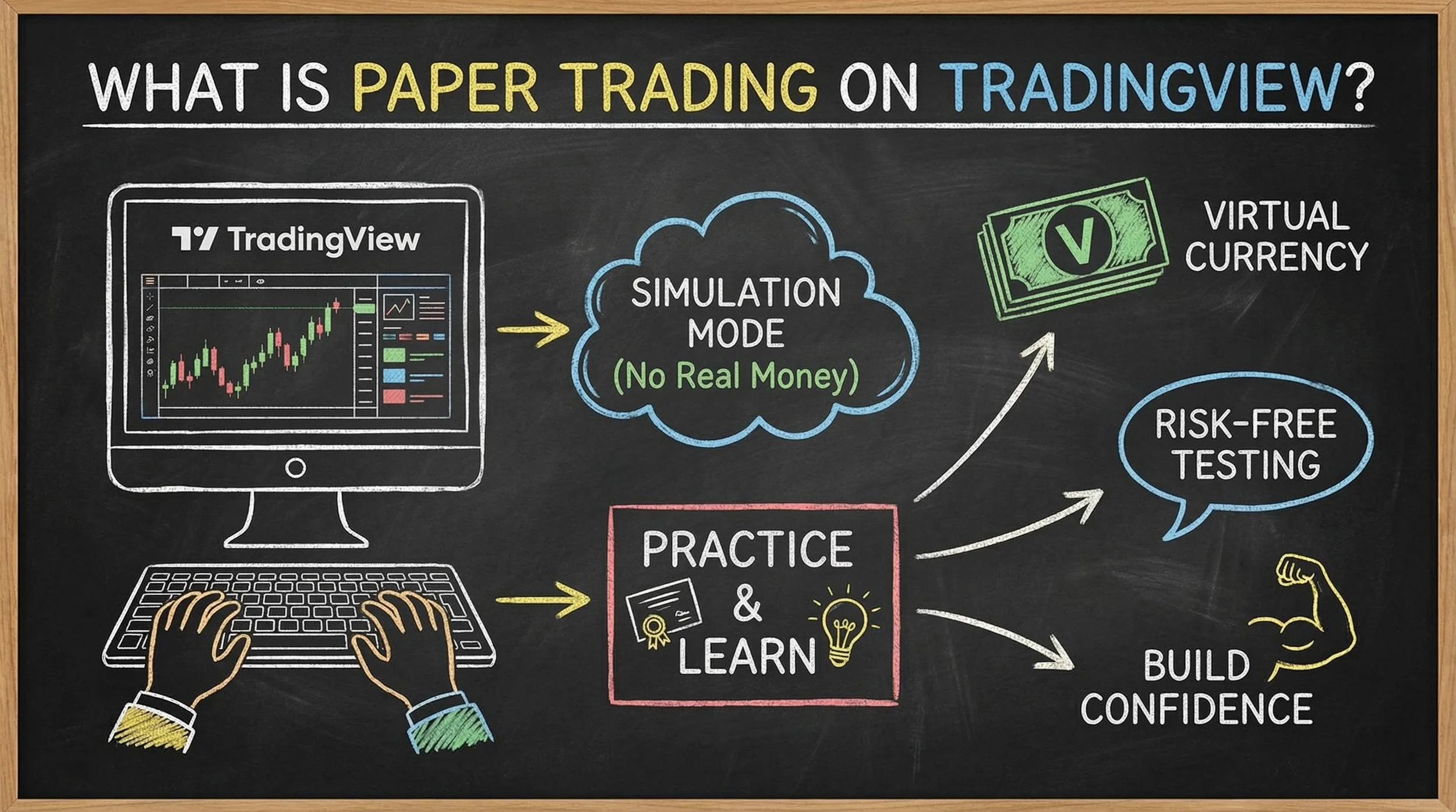
Paper trading on TradingView lets you practice with $100,000 (or more!) in virtual funds—no real money at risk.
Paper trading is a simulation feature that lets you practice trading with virtual money instead of risking your real capital. TradingView's paper trading tool gives you a $100,000 virtual account balance to place trades, test strategies, and learn how markets work—all without any financial risk.
This feature is particularly valuable for beginners who want to build confidence before committing real funds. You can practice on any market TradingView supports, including stocks, forex, and cryptocurrency.
"This is super important, especially if you are a beginner. I highly recommend before you use real money or especially before you use a lot of real money—it's a very good idea to get lots of practice in first."
Getting started with paper trading takes just a few clicks:
Step 1: Open any chart on TradingView
Step 2: Look at the bottom of your screen and find the "Trading Panel" button
Step 3: Click on the Trading Panel to reveal the broker options
Step 4: Find "Paper Trading" in the list of available connections
Step 5: Click "Connect" to activate your virtual trading account
Once connected, you'll immediately have access to $100,000 in virtual funds to practice with.
"I highly recommend before you use real money—or especially before you use a lot of real money—it's a very good idea to get lots of practice in first. Paper trading inside TradingView is super, super simple to set up and can save you from costly mistakes."
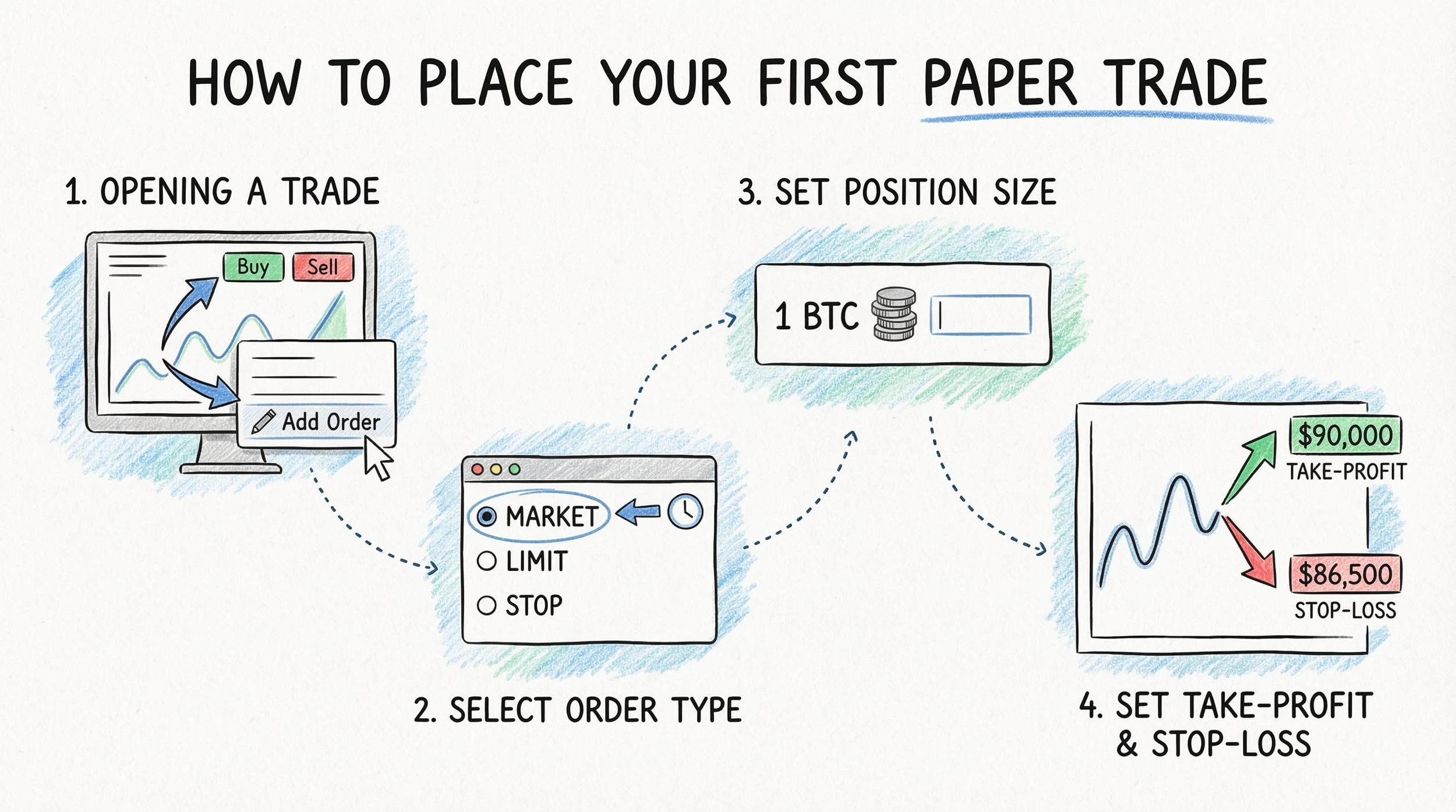
Four steps to placing your first paper trade on TradingView: open a trade, choose your order type, set position size, and always set take-profit and stop-loss levels.
After connecting to paper trading, you're ready to place your first practice trade. Here's the process:
Opening a Trade:
There are two ways to open a trade on TradingView:
Right-click anywhere on the chart and select "Add Order"
Use the Buy/Sell buttons at the top of your chart
When you open the order panel, you'll see three order types available: Market Order, Limit Order, and Stop Order. For beginners, the market order is the simplest option—it executes your trade immediately at the current price.
Setting Your Position Size:
Enter how much of the asset you want to trade. For example, if you're practicing on Bitcoin, you might enter "1" to trade one full Bitcoin with your virtual funds.
Setting Take-Profit and Stop-Loss:
This is where risk management comes in. Every trade should have:
Take-Profit Level: The price where you'll automatically close your trade for a gain
Stop-Loss Level: The price where you'll automatically exit to limit your loss
For example, if Bitcoin is trading at $87,800, you might set your take-profit at $90,000 and your stop-loss at $86,500.
Calculate your position size based on risk management principles
Practice with these calculations risk-free on TradingView
Try TradingView Free →"Having a take-profit and a stop-loss is so, so important—especially as a new trader. But even if you are an advanced trader, pretty much everyone uses stop-loss and take-profit so that the price automatically buys or sells."
Complete these steps before every trade
Once your trade is active, you can monitor everything from the Trading Panel:
Viewing Open Positions:
Click "Open Panel" at the bottom of your screen to see:
Your current positions (long or short)
Average fill price (where you entered)
Take-profit and stop-loss levels
Real-time profit/loss updates
Understanding the Orders Tab:
You'll notice multiple orders appear even though you only placed one trade. This is because:
Your main position is one order
Your take-profit becomes an active pending order
Your stop-loss becomes an active pending order
When price hits either level, the corresponding order executes automatically.
Tracking Performance:
The Trading Panel also shows:
Your order history
Account balance changes over time
Performance statistics
This helps you track whether your practice trading is improving over time.
Paper trading serves several critical purposes in your trading education:
Risk-Free Learning: You can make mistakes without losing real money. Every trader makes errors when starting out—paper trading ensures those errors are educational, not expensive.
Strategy Testing: Before risking capital on a new strategy, you can test it extensively with virtual funds to see how it performs across different market conditions.
Platform Familiarity: TradingView has many features. Paper trading lets you learn the platform's order types, charting tools, and interface without pressure.
Psychology Practice: Trading psychology is real, even with fake money. Paper trading helps you develop discipline around entries, exits, and position sizing.
"It helps your trading psychology, you know, not involving emotions. Super, super important."
Beyond paper trading, TradingView allows you to connect actual brokerage accounts for live trading. When you open the Trading Panel, you'll see various supported brokers listed.
For cryptocurrency traders, exchanges like Bybit can be connected directly to TradingView. This means you can analyze charts and execute real trades from the same interface—once you're ready to graduate from paper trading.
When to Move from Paper to Real Trading:
Consider transitioning when you:
Have consistent results over several weeks or months of paper trading
Understand risk management principles
Feel comfortable with the platform
Have capital you can afford to lose
Start with small position sizes when trading real money, even if your paper trading was successful.
When you're done practicing:
Step 1: Click to maximize the Trading Panel at the bottom of your screen
Step 2: Look for the settings or menu option
Step 3: Select "Log Out of Paper Trading"
This returns you to the normal chart view without any active trading connection.
To get the most from your practice trading:
Treat It Like Real Money: The biggest mistake is treating paper trading casually. Trade as if the $100,000 were your actual savings.
Keep a Trading Journal: Document every trade—why you entered, your target, your stop, and the outcome. This creates a learning record.
Practice Risk Management: Never risk more than 1-2% of your account on a single trade, even with virtual funds. Build good habits early.
Test Different Timeframes: Practice on multiple timeframes to understand how your strategies perform across different market conditions.
Be Patient: Spend weeks or months in paper trading before considering real money. The skills you build here form your trading foundation.
Yes, paper trading is completely free on TradingView. You can access it with a free TradingView account—no subscription or payment required. You'll receive $100,000 in virtual funds to practice with.
TradingView paper trading starts you with a $100,000 virtual account balance. This gives you plenty of capital to practice different position sizes and test various trading strategies.
Yes, you can reset your paper trading account by logging out and reconnecting. This will restore your virtual balance to $100,000, allowing you to start fresh with your practice trading.
Paper trading works on most markets available in TradingView, including stocks, forex, cryptocurrencies, and futures. You can practice on any chart where the paper trading connection is supported.
Absolutely. Using stop-loss and take-profit orders in paper trading helps you build essential risk management habits. Every trade—even practice trades—should have defined exit points to develop proper trading discipline.
There's no fixed timeline, but many traders recommend at least several weeks to months of consistent paper trading. Focus on achieving consistent results and feeling comfortable with the platform before transitioning to real capital.
Yes, TradingView supports connections to various brokers for live trading. For example, cryptocurrency traders can connect exchanges like Bybit directly to TradingView to analyze charts and execute real trades from the same interface.
Yes, paper trading is completely free on TradingView. You can access it with a free TradingView account—no subscription or payment required. You'll receive $100,000 in virtual funds to practice with.
TradingView paper trading starts you with a $100,000 virtual account balance. This gives you plenty of capital to practice different position sizes and test various trading strategies.
Yes, you can reset your paper trading account by logging out and reconnecting. This will restore your virtual balance to $100,000, allowing you to start fresh with your practice trading.
Paper trading works on most markets available in TradingView, including stocks, forex, cryptocurrencies, and futures. You can practice on any chart where the paper trading connection is supported.
Absolutely. Using stop-loss and take-profit orders in paper trading helps you build essential risk management habits. Every trade—even practice trades—should have defined exit points to develop proper trading discipline.
There's no fixed timeline, but many traders recommend at least several weeks to months of consistent paper trading. Focus on achieving consistent results and feeling comfortable with the platform before transitioning to real capital.
Yes, TradingView supports connections to various brokers for live trading. For example, cryptocurrency traders can connect exchanges like Bybit directly to TradingView to analyze charts and execute real trades from the same interface.
Master all aspects of TradingView from charts to indicators to alerts.
Learn how institutional traders move markets and how to trade alongside them.
Understand trend direction and key turning points in any market.
Master your emotions and develop the mindset of successful traders.
Learn to catch market swings with this beginner-friendly strategy guide.
Trading & Investing Enthusiast
Teaching traders to understand market psychology, technical analysis, and investing through clear beginner-friendly insights.
Started investing at 16 and became fascinated by how market psychology influences price movements. Still learning something new every day.
Love sharing what I've learned along the way. There's nothing quite like helping someone understand a concept that once confused me too.
Proud to have built a community where traders actively share insights and grow together through daily market analysis and discussion.
Want to join our learning journey?
Unlock premium charting features
Try Premium risk-free while you paper trade